Clean, ATS-Friendly Resume Templates for Tech Roles
Nine professional themes, from a plain single column to a two-column layout and developer and engineering leadership styles. Change themes in one click without retyping anything.
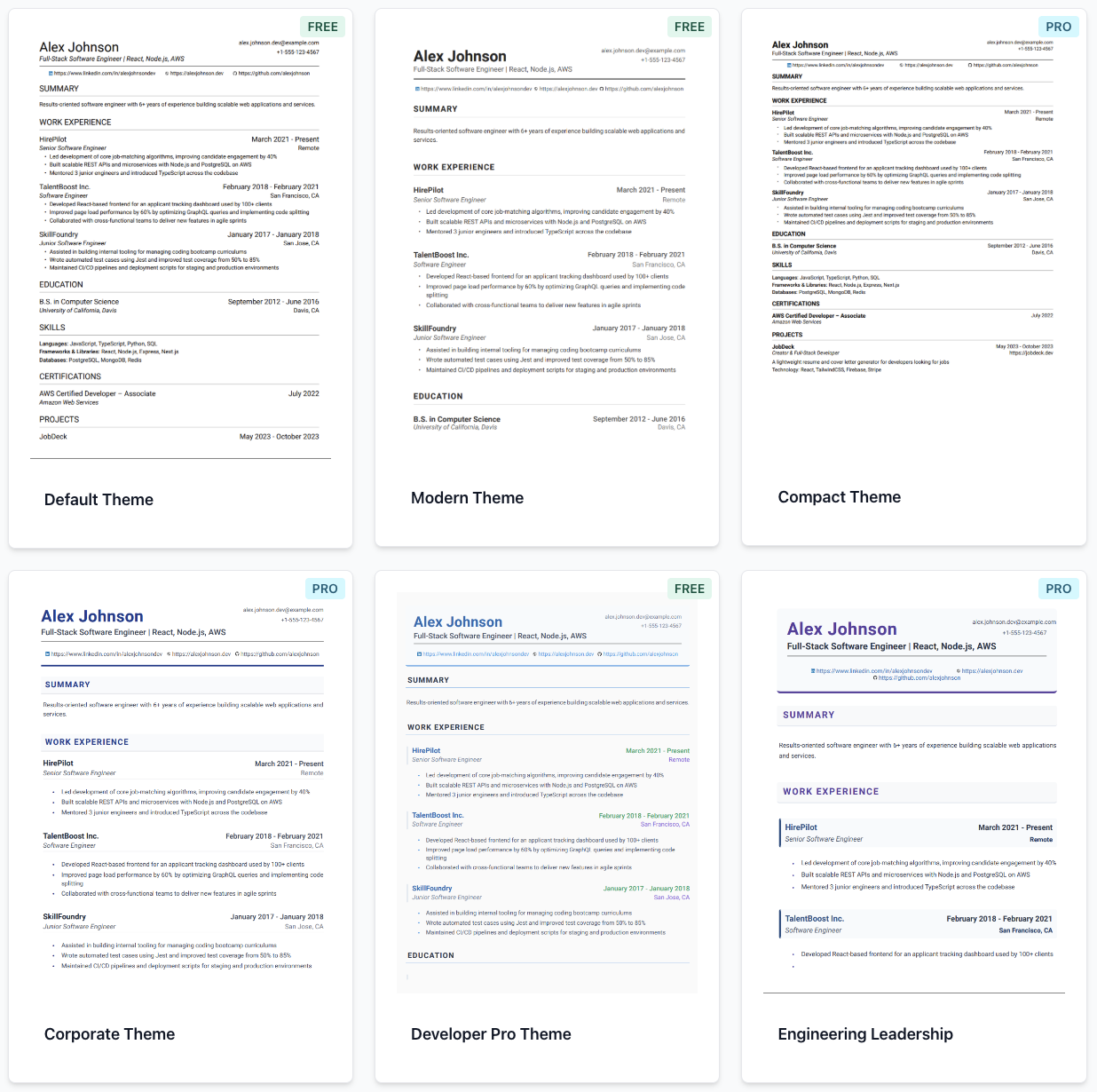
The template problems we hear about most
Fancy designs with graphics and icons that applicant tracking systems struggle to read.
Switching templates means copy-pasting your whole resume into a new file.
Templates built for designers do not fit a technical resume with projects and skills.
You cannot tell whether a layout will fit on one or two pages until it is too late.
Templates that keep the focus on your content
Your resume is structured data, and the theme only changes how it is displayed.
Nine themes for different roles
Default, Modern, Compact, Corporate, Developer Pro, Engineering Leadership, Azure, Professional Two-Column and Simple Professional.
Switch without retyping
Change the theme from the toolbar and the live preview re-renders your content in the new layout instantly.
Text-based PDF output
Themes are plain text and layout, with no photos or graphics to trip up a parser. Simple, single-column themes are the safest choice for ATS.
Download as PDF or JPG
Export a PDF for applications, or a JPG image of your resume for sharing. Multi-page resumes export as a ZIP of images.
Pick a template in three steps
- 1
Add your content
Upload an existing resume or build one in the visual editor.
- 2
Try themes
Open the theme menu and click through the options while the preview updates.
- 3
Download
Export a PDF or JPG of the version you like best.
Default, Modern and Compact are free. The other six themes are part of the Pro plan. No template can guarantee a result with every ATS, so use simple layouts and check the PDF text copies cleanly.
Frequently asked questions
Are your resume templates ATS-friendly?
Themes render your resume as text with simple layouts, which is what most applicant tracking systems read best. Single-column themes are the safest option. No template can guarantee how every ATS will parse a file.
Which templates are free?
The Default, Modern and Compact themes are free. Corporate, Developer Pro, Engineering Leadership, Azure, Professional Two-Column and Simple Professional are Pro themes.
Can I switch templates after I write my resume?
Yes. Your content is stored separately from the theme, so you can switch themes at any time and the preview updates immediately.
Should I use a two-column resume template?
Two-column layouts can look sharp, but some applicant tracking systems read columns in the wrong order. If you are applying through an ATS, a single-column theme is the lower-risk choice.
What formats can I download?
PDF, and JPG images. Multi-page JPG exports are delivered as a ZIP file.
Find the layout that makes your experience easy to read
Free account · Default, Modern and Compact themes are free
Free account · Default, Modern and Compact themes are free