Chat With Your Resume and Let AI Do the Editing
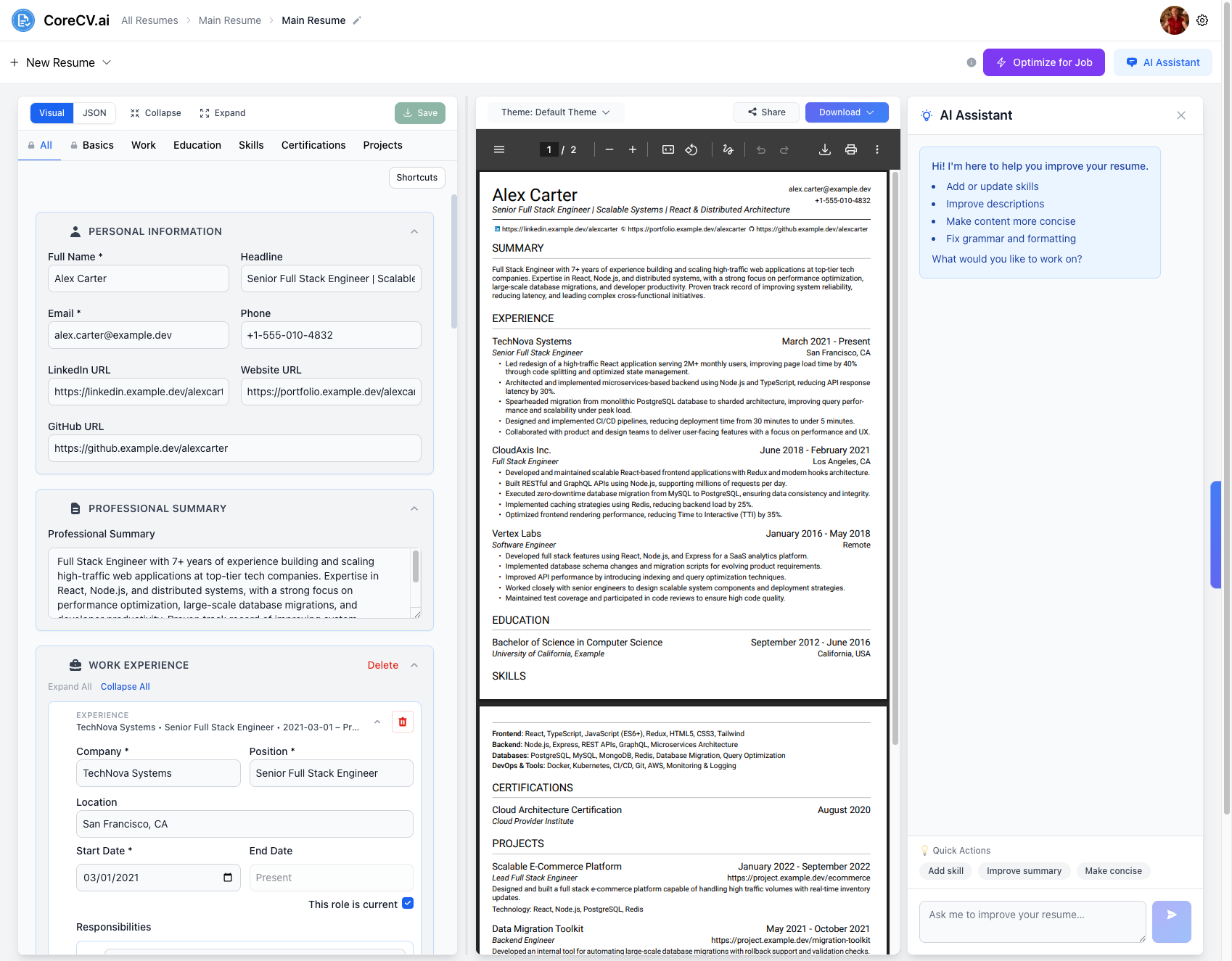
Open the AI Assistant next to your resume and tell it what to change. It works on your real resume, so there is no copy-pasting between a chatbot and a document.
Why a general chatbot is awkward for resumes
You paste your resume into a chat, paste the answer back, and fix the formatting by hand.
Each new conversation forgets your resume and your goals.
Vague prompts give vague bullets, and you do not know what to ask for.
You cannot tell which suggestions are worth keeping.
An assistant that lives inside your editor
Ask in plain language and see the change in your resume.
Streaming chat, in context
Answers stream in as they are written, and the assistant has your resume in front of it, so you do not have to explain it again.
Edits your real resume
Ask it to add a skill, improve a description, make content more concise or fix grammar, and the change goes into your resume.
Quick actions for common fixes
One-click prompts such as Add skill, Improve summary and Make concise help when you do not know what to ask.
Review a saved resume
Run a structured AI review on a saved resume from your resume list or the builder toolbar, then continue the conversation about the findings.
Improve your resume in a conversation
- 1
Open your resume
Upload a resume or open one you already built in CoreCV.
- 2
Open the AI Assistant
Click AI Assistant in the toolbar and type what you want to improve, or use a quick action.
- 3
Check and keep what works
Read the change in the live preview, edit it by hand if needed, and save.
The AI Assistant is a Pro feature. It improves the wording of your real experience; it does not know your achievements unless you tell it, so check every edit before you send your resume.
Frequently asked questions
What can the AI resume assistant do?
It can add or update skills, improve descriptions, make content more concise and fix grammar and formatting, based on the resume you have open.
Does it change my resume without asking?
You decide what to ask for, and you can review the result in the live preview and edit it by hand before saving.
Is the AI Assistant free?
You can create a free account and build a resume at no cost. The AI Assistant is part of the Pro plan, at $6.99 per month or $29 per year.
How is this different from pasting my resume into ChatGPT?
The assistant sits in your resume editor with your resume already loaded, and its edits apply to your resume directly. There is no copying text back and forth.
Can I get a free review before I try it?
Yes. The free AI resume review gives you structured feedback and a few follow-up questions without an account.
Stop copy-pasting between a chatbot and your resume
Free account to start · AI Assistant is a Pro feature (from $6.99/month)
Free account to start · AI Assistant is a Pro feature (from $6.99/month)